
How to Check Your Bitget Account UID
The current article does not support the language you selected, it has been automatically recommended to English for you
How to Check Your Bitget Account UID
[Estimated reading time: 3 mins]
This article explains what a Bitget account UID is and shows you how to find and copy it on both the Bitget website and app.
What Is a Bitget Account UID
Your UID (User identification number) is a unique ID automatically generated when you sign up for a Bitget account. We use your UID to identify your account for customer support and other account-related services.
Important:
• Your UID is not your registered mobile number or email address.
• Each Bitget account has one unique UID.
How to check your Bitget account UID
Website:
1. Log in to the Bitget website.
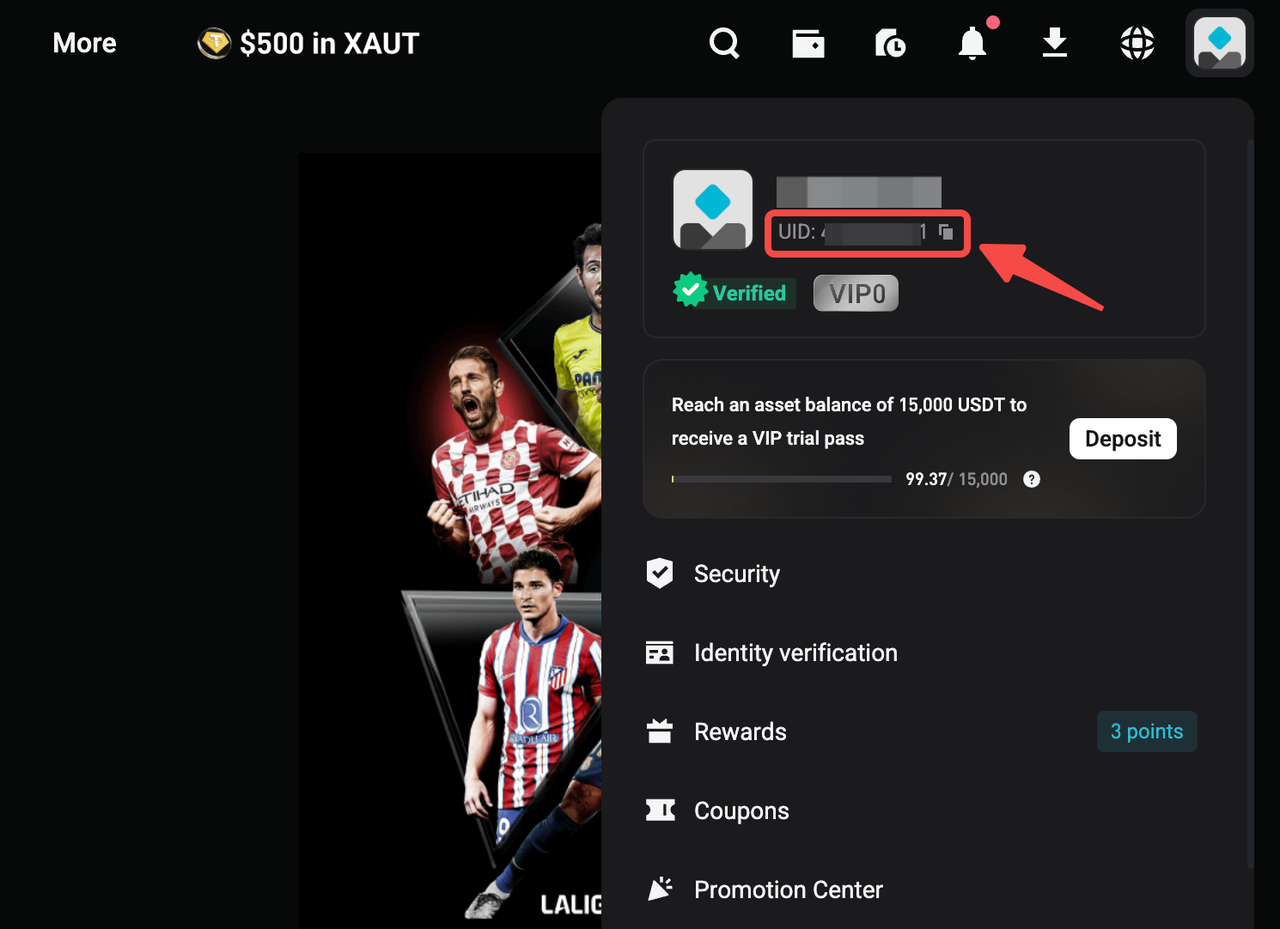
2. Hover over the My Profile icon in the top-right corner.
3. Your UID will appear.
4. Click to copy your UID.
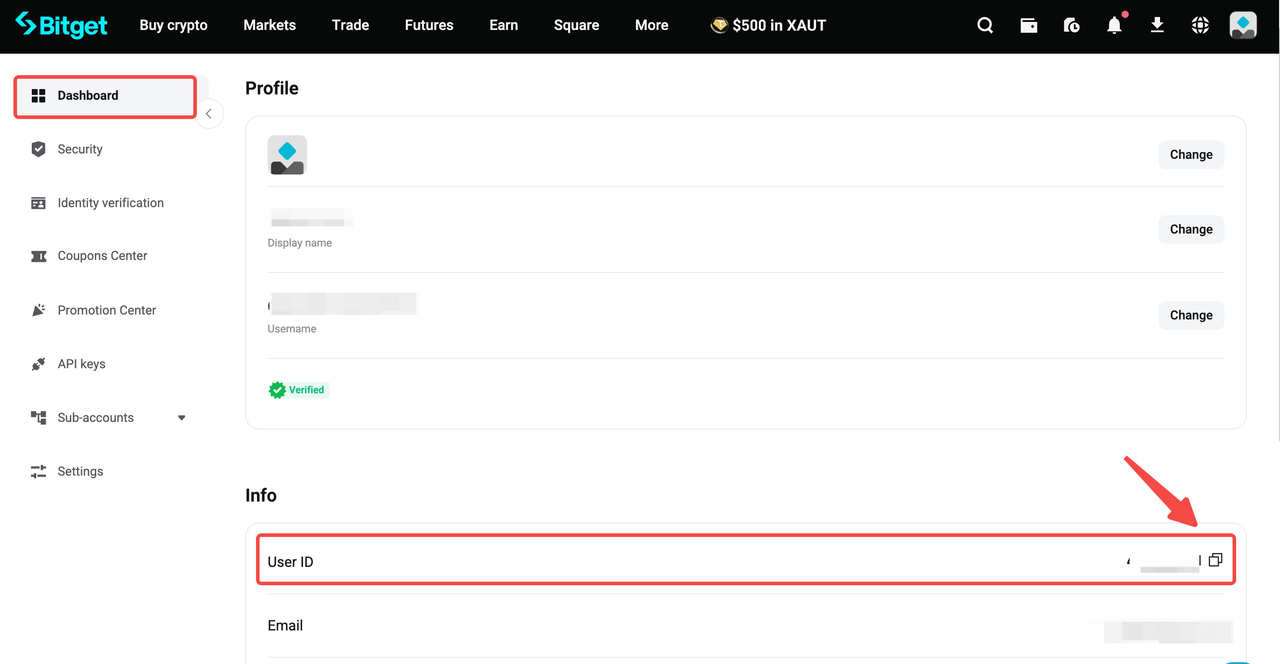
5. Alternatively, go to Dashboard to view and copy your UID.
App:
1. Open the Bitget app and log in.
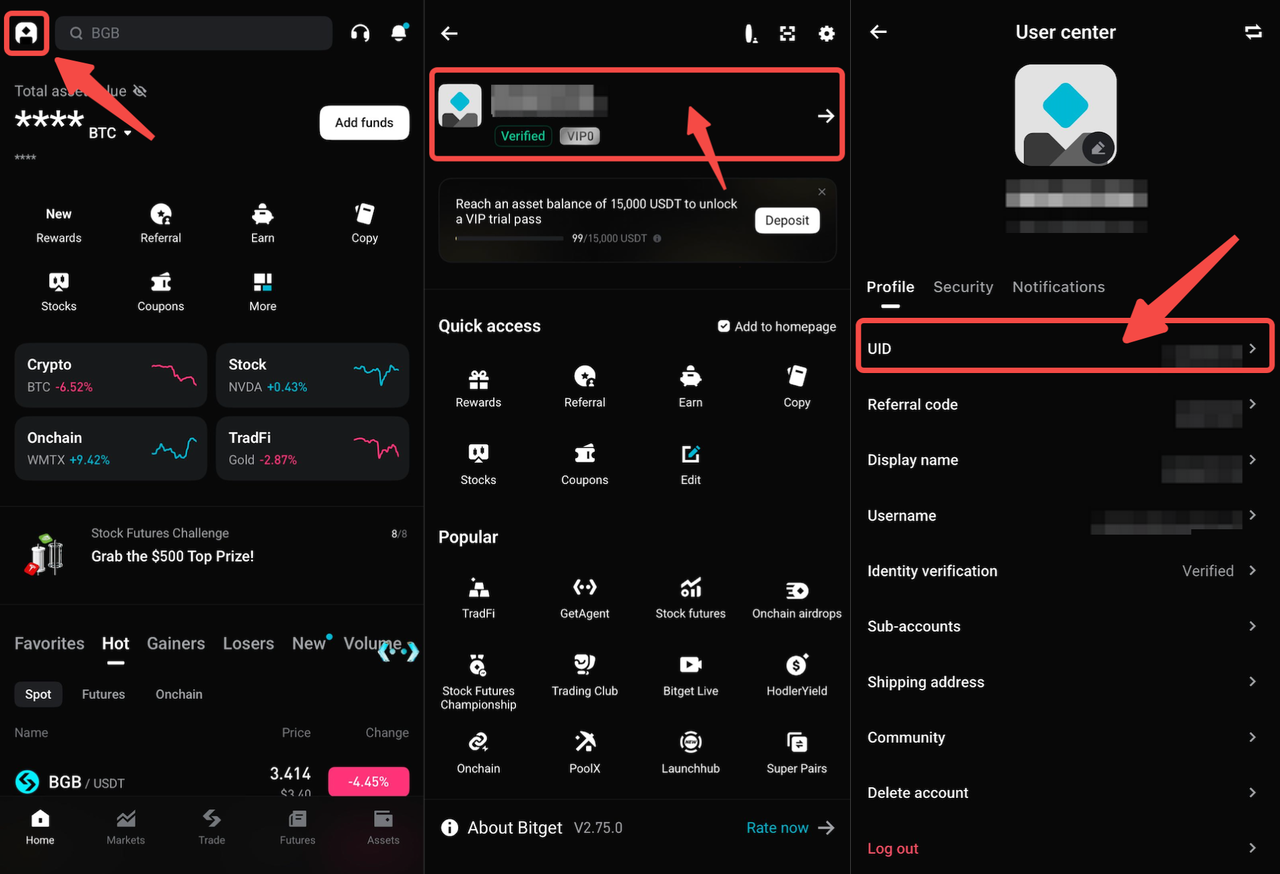
2. Tap the My Profile icon in the top-left corner of the Home page.
3. Tap Profile.
4. Your UID will be displayed on the screen.
5. Tap to copy your UID.
FAQs
1. What is a Bitget account UID?
A UID is a unique identification number automatically generated when you sign up for a Bitget account.
2. What is my UID used for?
Your UID is used to identify your account for customer support and other account-related services.
3. Is my UID the same as my email or phone number?
No. Your UID is different from your registered email address and mobile number.
4. Can I change my Bitget account UID?
No. Your UID is automatically generated and cannot be changed.
Join Bitget, the World's Leading Crypto Exchange and Web3 Company
*This announcement is time-sensitive. Please note the date of publication. The platform assumes no responsibility for any direct or indirect losses arising from changing circumstances or outdated content.